
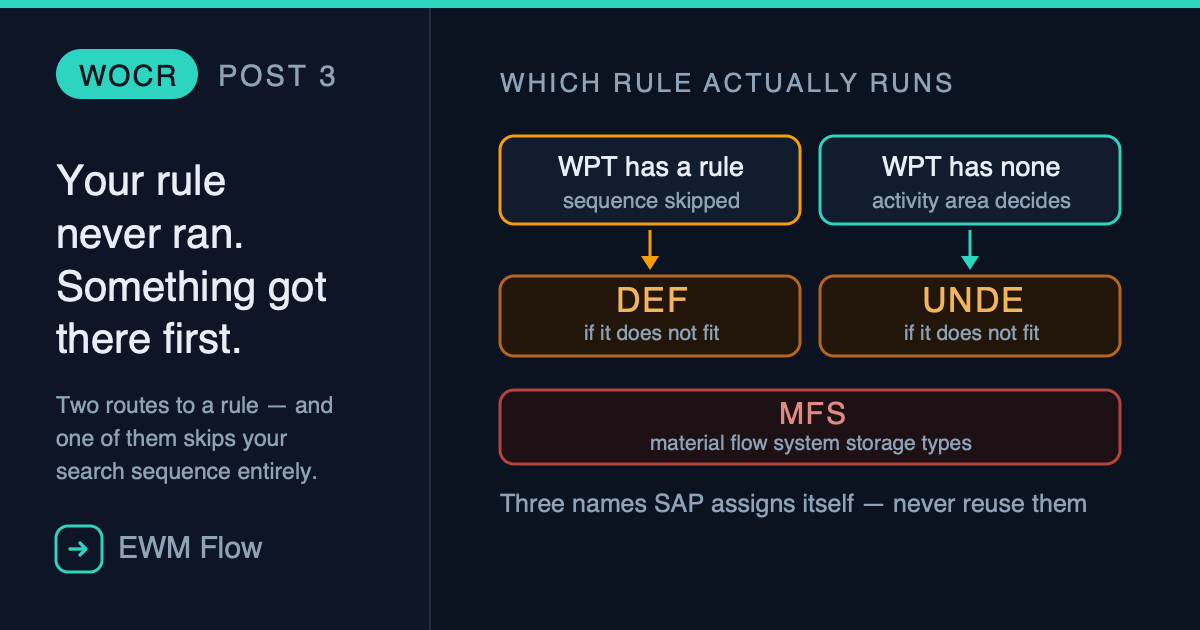
You configured the rule. The filters are right, the limits make sense, you assigned it to the correct activity area and put it first in the sequence.
You create the task. The Warehouse Order comes out looking nothing like what you designed.
You open the order, read the WCR field, and it says DEF.
That value does not mean your rule failed. It means the system never consulted it — and there are exactly three ways that happens.
Post 2 took a rule apart into its five profiles. This post does the opposite: it builds one, and then makes sure it is the one that runs. By the end you will be able to create a warehouse order creation rule, read the field that tells you which rule actually ran, and know why a carefully designed search sequence can end up never being consulted at all.
Two roads to a rule, and they don’t carry equal weight
Before any configuration, the shape of the problem:
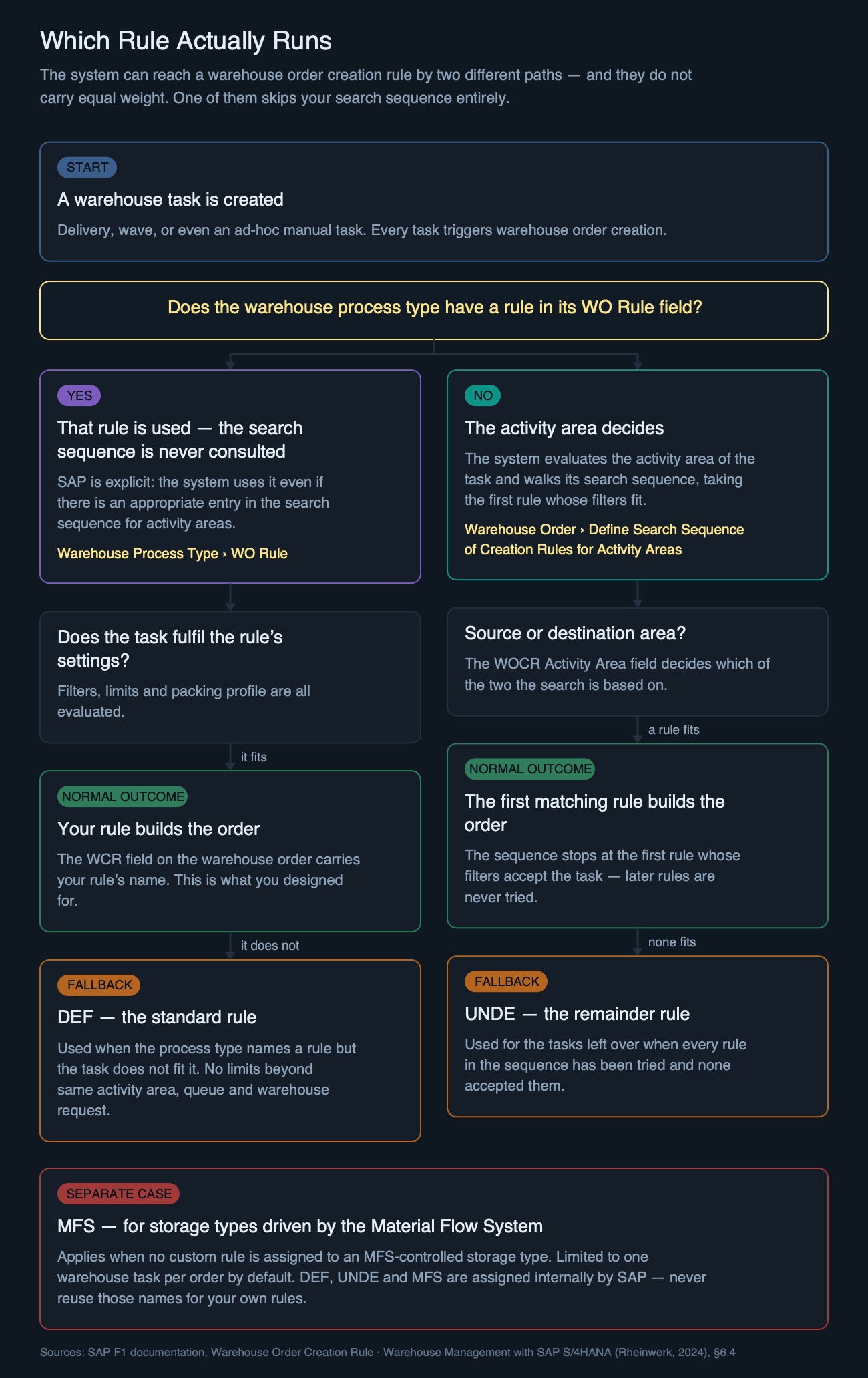
SAP’s own documentation is unusually direct about the precedence:
If a warehouse order creation rule is specified in a warehouse process type, then the system uses it even if there is an appropriate entry in the search sequence of creation rules for activity areas.
SAP, F1 documentation — Warehouse Order Creation Rule
Which means the first thing to check is not your sequence. It is a single field on the warehouse process type.

2100, activity PICK. Both WO Rule and WOCR Activity Area are empty — so this process type takes the right-hand branch, and the activity area decides.Two fields matter here. WO Rule is the override: fill it and the search sequence stops being relevant for tasks using this process type. WOCR Activity Area is subtler and only applies to the other branch — it decides whether the search is based on the source activity area or the destination one, which for a stock removal are rarely the same place.
Building the rule
The five profiles from Post 2 — filters, limits, sort rules, packing, destination — are ingredients. The rule itself is the container that holds them, and it has its own node:
SCM Extended Warehouse Management › Extended Warehouse Management › Cross-Process Settings › Warehouse Order › Define Creation Rules for Warehouse Orders
Click New Entries, name the rule, and assign the profiles. Three fields on this screen are worth more attention than they usually get:
- Time required to complete the order. Not just travel and picking — it is meant to include the overhead, such as preparing paperwork. This feeds labour planning, and a value copied from another rule quietly distorts it.
- Storage process. For outbound movements that need to follow a complex path rather than going straight to the door.
- Determine WkCtr. Set this if you want the system to determine a work centre through the rule. It is only relevant if you have not defined a storage process — with one defined, the indicator does nothing, which is a good way to spend an afternoon wondering why a setting has no effect.
You can review everything you have built, filters and profiles included, from a single overview screen — useful when inheriting a system you did not configure:
… › Warehouse Order › Overview of Creation Rules for Warehouse Orders
Three scenarios
A — Customer picking, and why one order became three
You want pickers carrying no more than 25 kg per trip. In the limit values you set Maximum Weight to 25 and the unit to KG, then assign that limit to your picking rule.
A wave produces tasks totalling 68 kg. You get three Warehouse Orders, not one rejected task — and this is the part people get backwards. A limit does not filter tasks out. As soon as a task would push the order past a limit, the system takes it out of the current order and starts a new one using the same rule, then applies the limit again. Limits split; filters exclude. They are different instruments.
Add a packing profile and the same rule also creates the pick-HUs. If the tasks do not fit in one HU, the system creates another using the packaging material from the packaging specification.
B — Inbound putaway, one order per source bin
For putaway you often want the opposite of consolidation: an operator should empty one goods receipt bin at a time rather than zig-zagging across the staging area.
Rather than using SAP’s standard limit fields, use Fld to Limit WO Size and point it at VLPLA, the source storage bin. Now every change of source bin starts a new Warehouse Order, and the picker’s trip matches the physical reality of the dock.
This is also where the destination side of the rule earns its place: assign the destination bin of a work centre to the rule and the goods go straight there once picked, without a second decision downstream.
C — The task that fits nothing
Now the case that connects back to the opening. In the packing profile there is an indicator called Skip WT: set it, and a warehouse task that does not fit a pick-HU skips this rule entirely and moves on to the next one in the sequence.
That is the mechanism working as designed — a task politely declining a rule and trying the next. But follow it to the end. If the task reaches the bottom of the sequence and no rule has accepted it, it does not vanish and it does not error. It gets picked up by the remainder rule, UNDE, and quietly bundled into an order nobody designed.
An oversized item that never fits any pick-HU will do this every single day, and the only visible trace is a WCR value in the warehouse order.
Making sure your rule is the one that runs
A rule that exists is not a rule that runs. Assignment is a separate step:
… › Warehouse Order › Define Search Sequence of Creation Rules for Activity Areas
Enter the activity area, the activity, and the rules in the order you want them tried. The system takes the first rule whose filters accept the task and stops — later rules are never evaluated for that task. That single sentence contains the whole design principle:
- Specific first, general last. A broad rule placed early will swallow the tasks your specific rule was written for, and nothing will look broken.
- Design what falls through. If most of your volume ends up on
UNDE, your sequence is not a design — it is a formality. - Check the process types too. Any process type carrying a value in
WO Ruleis outside this sequence entirely.
The three rules you did not write
SAP ships three rules that cannot be customised, and they exist precisely for the moments above. Knowing which one you are looking at turns a mystery into a two-second diagnosis:
| WCR shows | What it tells you |
|---|---|
| DEF | The process type named a rule, but the task did not fit it. Your search sequence was never consulted. |
| UNDE | Your sequence was consulted, and no rule in it accepted the task. |
| MFS | The storage type is driven by the Material Flow System and has no custom rule. Limited to one task per order by default. |
The standard rules impose no limits of their own, beyond requiring that the tasks in one order share the same activity area, queue, and warehouse request or consolidation group. That is why orders built by DEF or UNDE often look oddly large: nothing was constraining them.
One practical warning from SAP: do not reuse the names DEF, UNDE or MFS for your own rules. They are assigned internally, and reusing them breaks the guarantee that a rule identifier is unique.
Closing thought
Most WOCR troubleshooting starts by opening the rule and reading its filters, which assumes the rule ran. Half the time it did not, and every minute spent inside it is wasted.
The faster question is which rule the order was actually built with. If the answer is a name you wrote, your design is working and the filters are worth reading. If it is DEF, look at the process type. If it is UNDE, look at what your sequence refuses to accept. The field answers in two seconds what configuration review answers in an hour.
In the next post of this series, we put the creation rule to work as something it is rarely described as: a routing device. One storage type, ten levels of racking, three kinds of resource — and the chain of objects that gets every task to somebody who can actually reach the bin.
Related Reading
- Anatomy of a Warehouse Order Creation Rule — the five profiles this post assembles into a working rule.
- Warehouse Process Type: The Invisible Engine — the object that carries the
WO Rulefield, and therefore the override. - Why Warehouse Orders Exist — the 9-step creation process this rule sits inside.
Seeing a WCR value you did not expect?
Ask in plain language and get the transaction, the Customizing path, and the article it came from — answered the way a warehouse architect would answer it.
Ask the EWM assistant →Free account · 20 questions a day · no credit card
Part of the Warehouse Orders series
Deja un comentario