
The Question Nobody Asks Until It’s Too Late
A resource walks into the warehouse. They have a device in hand showing exactly what to do next. Not one task — a whole sequence of them, grouped together, in an order that makes sense for their physical location right now.
That grouped, sequenced package is a Warehouse Order. And the question most teams never ask until something goes wrong is: who decided which tasks belong together, and in what order?
Why Bundling Exists At All
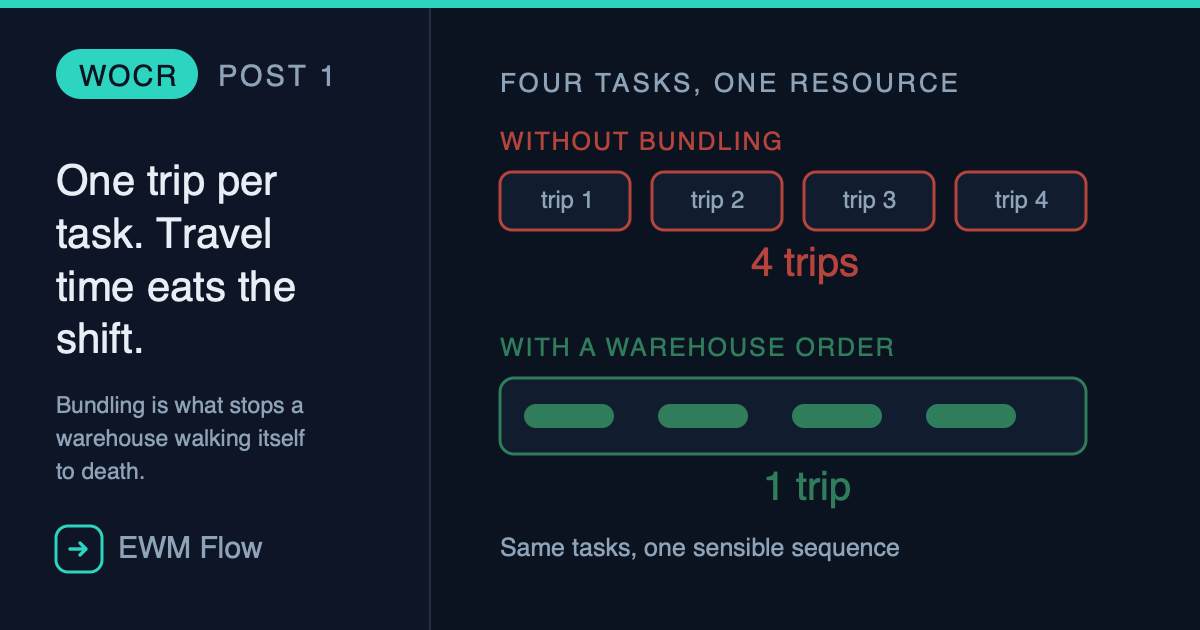
Picture the alternative. A resource picks up one warehouse task, walks to a bin, executes it, walks back for instructions, gets assigned the next one, walks to a completely different part of the warehouse, executes it, walks back again. Every single task is its own round trip.
That is what a warehouse without Warehouse Orders looks like: technically functional, practically exhausting. Travel time dominates. The resource spends more time walking between tasks than actually executing them.
A Warehouse Order fixes this by bundling multiple Warehouse Tasks into one executable work package — assigned to one resource, for one trip, in one sensible sequence.
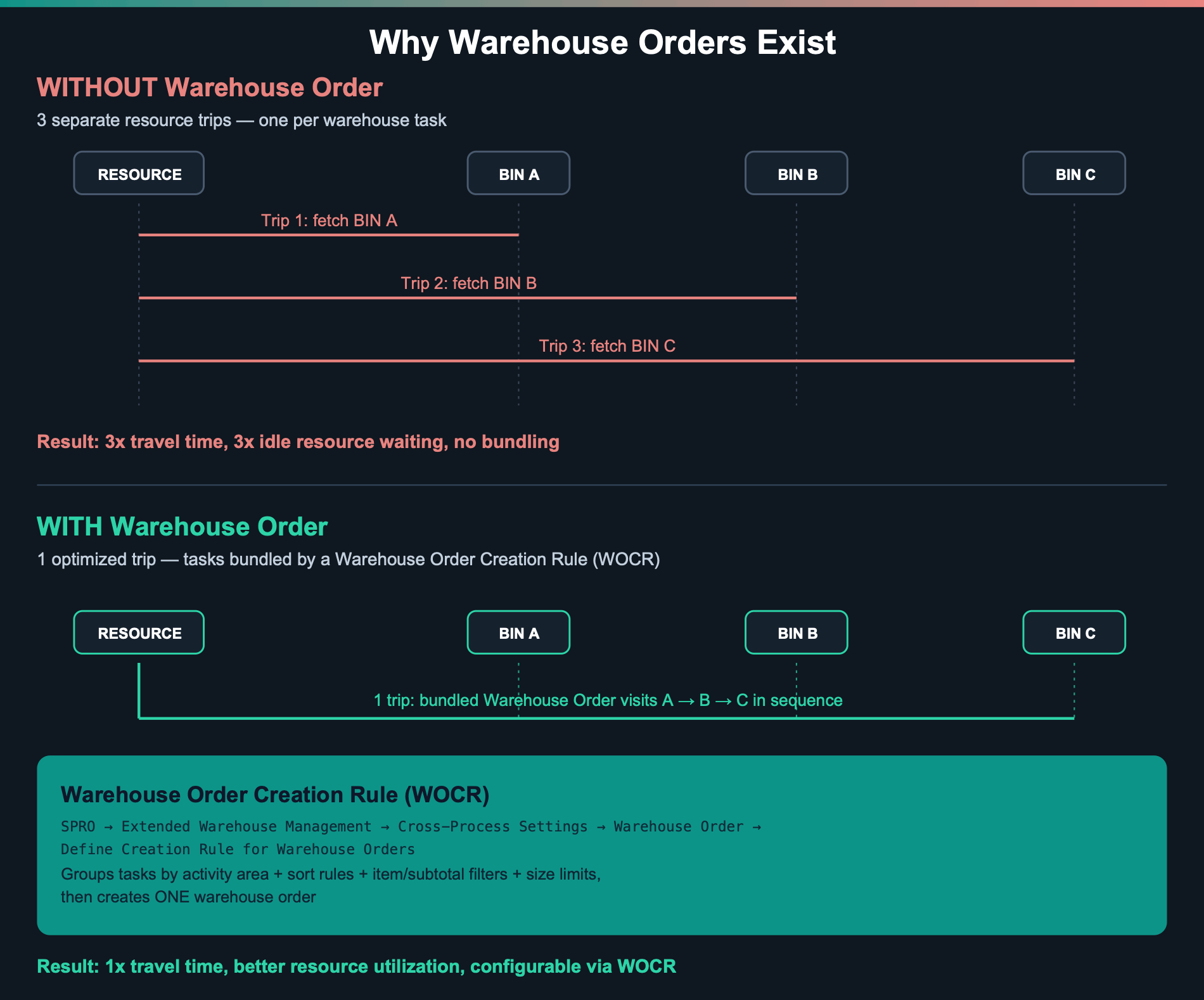
The diagram above is the entire business case for Warehouse Orders in one picture. Same three tasks, same warehouse. Without bundling: three separate trips, three sets of idle walking time. With bundling: one trip, sequenced, assigned as a single unit of work.
What a Warehouse Order Actually Is
In SAP EWM’s own words: a Warehouse Order is the document that represents an executable work package that a warehouse employee should complete within a specific time. It consists of Warehouse Tasks — or, for physical inventory, count items.
That’s it. It’s not a separate business document like a delivery or a purchase order. It’s a grouping mechanism — the layer that takes the raw output of warehouse activity (individual tasks) and turns it into something a human or a machine can actually execute efficiently.
The Full Creation Process (Real Steps, Real Customizing)
This isn’t a black box. SAP EWM follows a defined, configurable sequence every time it creates a Warehouse Order. Here it is end to end, with the actual customizing path for every configurable step:
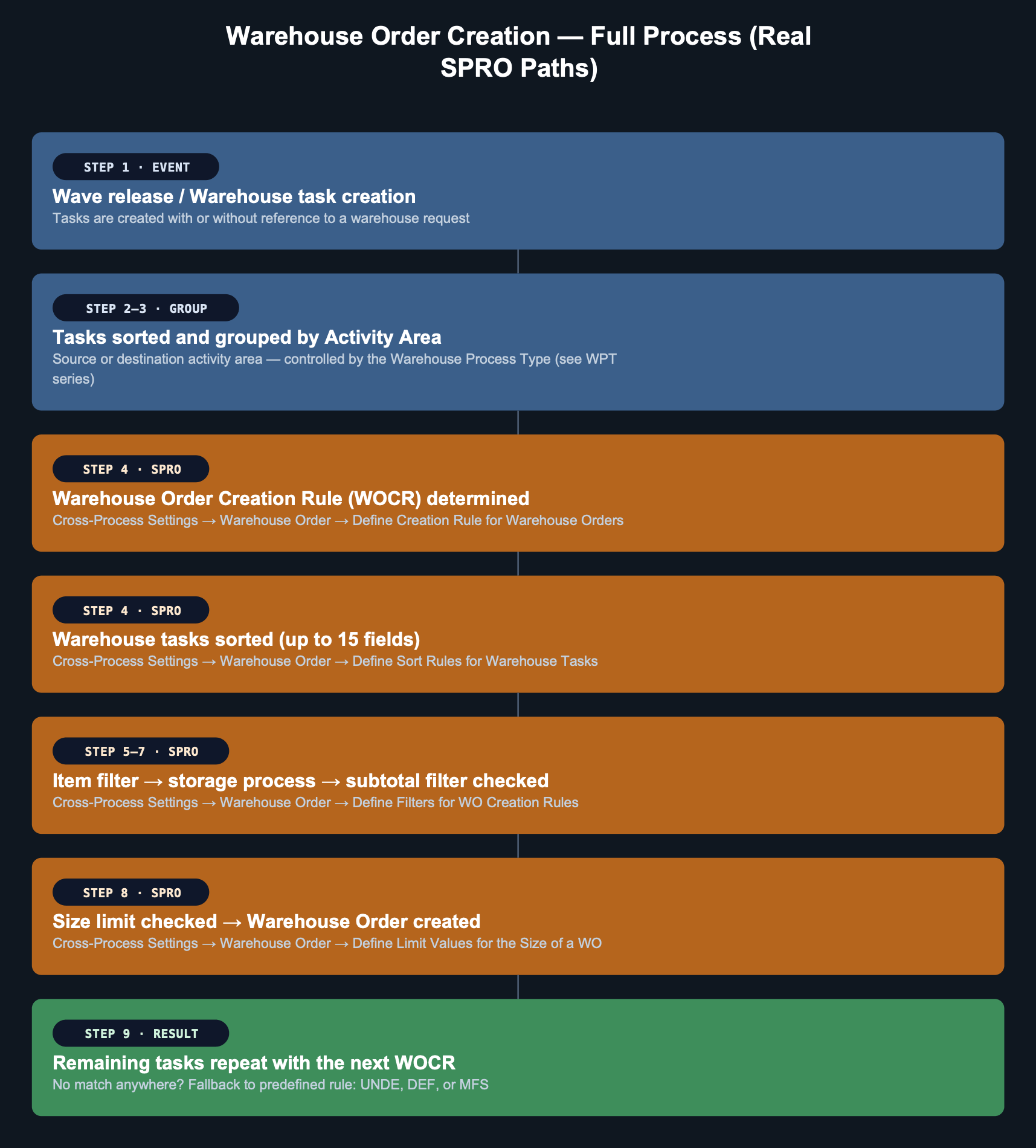
Walk through it once in plain language:
- A wave releases, or warehouse tasks get created directly. This is the trigger — the raw material the whole process works on.
- Tasks get grouped by activity area. Source or destination activity area, decided by the Warehouse Process Type assigned to the task (this is exactly why our WPT series matters here — WPT decides which activity area applies before Warehouse Order logic even starts).
- The system determines which Warehouse Order Creation Rule (WOCR) applies, based on activity area and activity. This is configured, not automatic — you define it.
- Tasks get sorted according to a sort profile — up to 15 fields, in whatever sequence makes sense for that activity (pick path order, weight, whatever your operation needs).
- Item filters, then subtotal filters check whether each task fits the rule’s criteria — minimum/maximum weight, volume, processing time, route, and more.
- Size limits get checked, and the Warehouse Order gets created once the limit is hit or all eligible tasks are consumed.
- Anything left over repeats the process against the next WOCR in the search sequence. If nothing matches anywhere, SAP EWM falls back to a predefined rule so nothing gets stuck unassigned.
The Fallback Rules Nobody Configures (Because They’re Already There)
Here’s a detail worth knowing before you ever open customizing: SAP EWM ships with three predefined Warehouse Order Creation Rules that you cannot customize and that exist purely as a safety net.
| Rule | When it’s used | Behavior |
|---|---|---|
| DEF | The warehouse process type has a WOCR directly assigned, but the task doesn’t fulfill its settings | No limits, except all tasks must share activity area, queue, and warehouse request/consolidation group |
| UNDE | Tasks remain after all customer-defined WOCRs have been processed | Same no-limit behavior as DEF — a final catch-all |
| MFS | A Material Flow System (MFS)–controlled storage type has no customer-defined WOCR assigned | Defaults to a limit of exactly one warehouse task per order |
This matters practically: if you never configure a single WOCR, your warehouse does not break. It falls back to DEF. Tasks still get grouped and executed — just without any of the optimization a properly designed WOCR gives you. A lot of «why is this warehouse order weirdly large or weirdly small» investigations end with the answer: nobody ever replaced the fallback.
This Week’s Practical Challenge
- Pick any Warehouse Order from today’s activity in your system
- Open it and check which Warehouse Order Creation Rule was actually used
- If it’s DEF, UNDE, or MFS — ask why. Is that intentional, or is it a gap nobody’s configured yet?
Closing Thought
A Warehouse Order looks like a small, almost administrative detail — a container for tasks. But it’s the layer standing between «technically correct» and «actually efficient» warehouse execution. Every minute a resource spends walking instead of working traces back to how well — or how poorly — this configuration was designed.
In Post 2 of this series, we go inside each WOCR profile in detail: item and subtotal filters, sort rules, limit parameters, and the packing profile that decides how pick handling units get built.
Part of the Warehouse Orders series
Deja un comentario